Comparisons
Vyxora vs Fireflies: What’s Different, and Which Should You Use?
Compare Fireflies and Vyxora for meeting capture, follow-ups, document context, project changes, and the plan limits behind their prices.
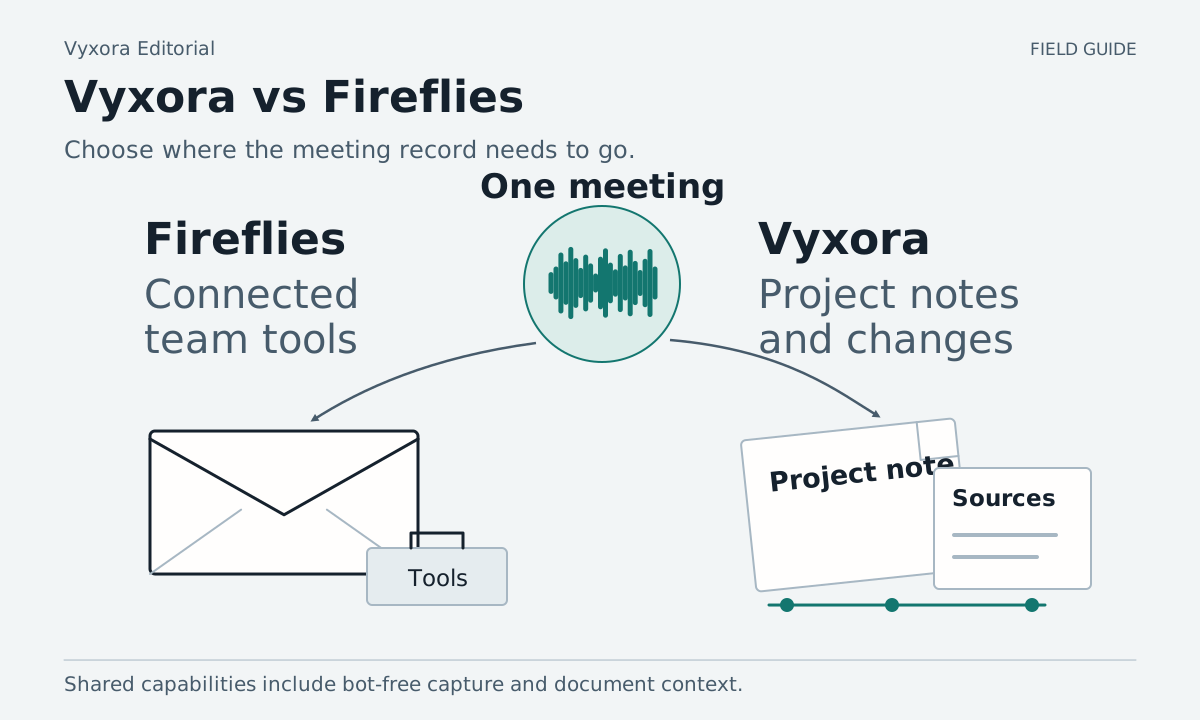
Start with what needs to happen after your call. If you need meeting records connected to a team's existing tools, Fireflies deserves a close look. If you want recordings and documents organized into Notes, visual maps, and a project history you can question and check, consider Vyxora.
Both support capture without a meeting bot and questions across past meetings. Both can use documents as context. Compare the actual capture route, the follow-up you want to produce, and the information you need to carry into the next meeting. Fireflies Chrome capture, Global AskFred, Vyxora capture, Vyxora project Notes
Choose the capture route before the subscription
Fireflies offers a meeting notetaker as well as a bot-free Chrome route. Its Chrome Live Assist documentation covers Google Meet on Chrome, including live notes and transcripts. That specific route does not work on other meeting platforms. Do not generalize its restrictions to every Fireflies app or recording method. Fireflies Chrome Live Assist
Vyxora Capture lets you choose microphone, tab, or available computer audio, then select General, Meeting, or Study after stopping the recording. You create the Note from the captured material. It records sound only, including when the browser asks for screen-sharing permission to obtain computer audio. Available audio sources vary by browser and operating system. Vyxora Capture
For a call you already recorded, both products offer an upload route. Fireflies lists audio/video uploads; Vyxora accepts supported audio recordings and pasted transcripts. Vyxora Capture is not a video recorder. Fireflies input options, Vyxora Notes
Before any trial, confirm permission to record and that the method is acceptable to everyone involved. A bot-free recorder still needs that consideration.
Compare the follow-up and the project record
| Need | Fireflies | Vyxora |
|---|---|---|
| Follow the call as it happens | Chrome Live Assist provides real-time notes on Google Meet | Capture produces a Note after recording and processing |
| Draft a follow-up | AskFred can generate drafts from a processed meeting | Ask a completed Note about decisions and next steps, then review the draft |
| Ask about older discussions | Global AskFred searches across past meetings | Ask across completed Notes or within a Workstream |
| Add context from documents | Global AskFred accepts attachments and supports connected apps | Add text-based documents as Notes or supporting sources |
| Keep track of ongoing work | Tasks, integrations, and team features are listed by plan | Workstreams collect related Notes, decisions, tasks, and changes with supporting Notes |
Fireflies documents single-meeting AskFred, Global AskFred with files and connected apps, and plan features. Vyxora describes its Notes and Workstreams on the public product pages.
A feature marked “yes” cannot tell you whether the result will fit your work. For example, a generated email can sound convincing while making a tentative date look agreed. Make that distinction part of the comparison.
Try a handoff with an unresolved commitment
Use this fictional example to build a short, permitted practice call or substitute equivalent material you own:
- A client asks for a proposal on Thursday.
- The consultant says Thursday depends on getting the final brief by Tuesday.
- The client agrees to send the brief, but gives no delivery time.
- A follow-up note says the brief is still missing on Wednesday.
First ask each product to draft a short follow-up email based on the call. The email should carry the condition attached to Thursday. It should ask for the missing brief and avoid saying the proposal date is confirmed.
Review the draft before using it. Check names, owners, dates, and unresolved questions against the source. Mark every invented commitment. Compare how easy it is to find the relevant passage, fix the draft, and take the reviewed text to the place where you send emails.
Next add the Wednesday update and ask: “What is blocking the proposal, and what should I confirm with the client?” This checks how the tool uses newer information alongside the original meeting. A helpful answer can identify the missing brief while keeping the original conditional commitment visible.
If you need the answer to update another system, test that exact destination on the appropriate Fireflies plan. If you need to keep reviewing the project inside Vyxora, test the related Notes in a Workstream. We have not tested either product completing the fictional handoff. Fireflies connected-app options, Vyxora project review
Include credits and storage in the price comparison
Fireflies lists Free, Pro, Business, and Enterprise. Its advertised annual-billing rates include $10 per seat per month for Pro and $19 for Business. The Free plan lists limited AI summaries and 400 minutes of storage per team. Check the billing toggle, storage allowance, and rate-limit footnotes rather than treating every “unlimited” label as unlimited use of the whole product. Fireflies pricing
AskFred costs also depend on where you ask. Its documentation says paid users can ask within a processed meeting without AI credits, while Global AskFred and Live Assist use dynamic credits. A subscription price alone does not describe the cost of repeatedly asking across a team's archive. Fireflies AskFred credit rules
Vyxora's regular monthly prices are $0 for Free, $11.99 for Plus, and $24.99 for Pro. Annual Plus costs $119; annual Pro costs $249. A current 90-day Plus trial applies to monthly subscriptions, not annual billing. Allowances cover processing, assistant answers, Workstream builds, and kept recordings. Estimate your usual audio volume and project updates before comparing plans. Vyxora pricing
For Vyxora Free, the monthly limits include 20 assistant answers and three Workstream builds. Keeping a saved Workstream and updating it are different allowances: adding new Notes and generating the updated project view uses another build. Kept audio is playable for 30 days. These limits belong in a trial that involves frequent questions or later listening. Vyxora plan allowances
Keep annual equivalents separate from monthly subscriptions in your comparison. Use a full month's expected work to compare plans; one successful free question says little about an archive you revisit every day.
When Fireflies is the better choice
Fireflies is the stronger candidate when your purchase depends on its listed integrations, team analytics, or a supported live meeting experience. Try the integration that matters to you, including its permissions and any plan restrictions, before moving your team. Fireflies plan comparison
Vyxora is worth trying if you want to review meetings alongside other saved material, use General or Study as well as Meeting mode, and keep project changes linked to supporting Notes. These are reasons to test its presentation and process, not claims that Fireflies lacks document questions or source context. Vyxora modes, project changes
Vyxora requires online processing and an account for saved work. Its mobile app is coming soon. It reads embedded text in supported documents and does not perform OCR on scans. Do not choose it for live captions, screen-video capture, or direct automation into a CRM. Vyxora input limits, Capture, mobile availability
Use the handoff trial to check your own requirement: a reviewed email, a reliable update in your chosen tool, or a project answer with evidence you can open. Choose after that result, on the plan you would keep using.