Comparisons
Vyxora vs Fathom: Which AI Note Taker Should You Choose?
Compare Fathom and Vyxora for replaying calls, reviewing project material, bot-free capture, source checks, and individual versus team pricing.
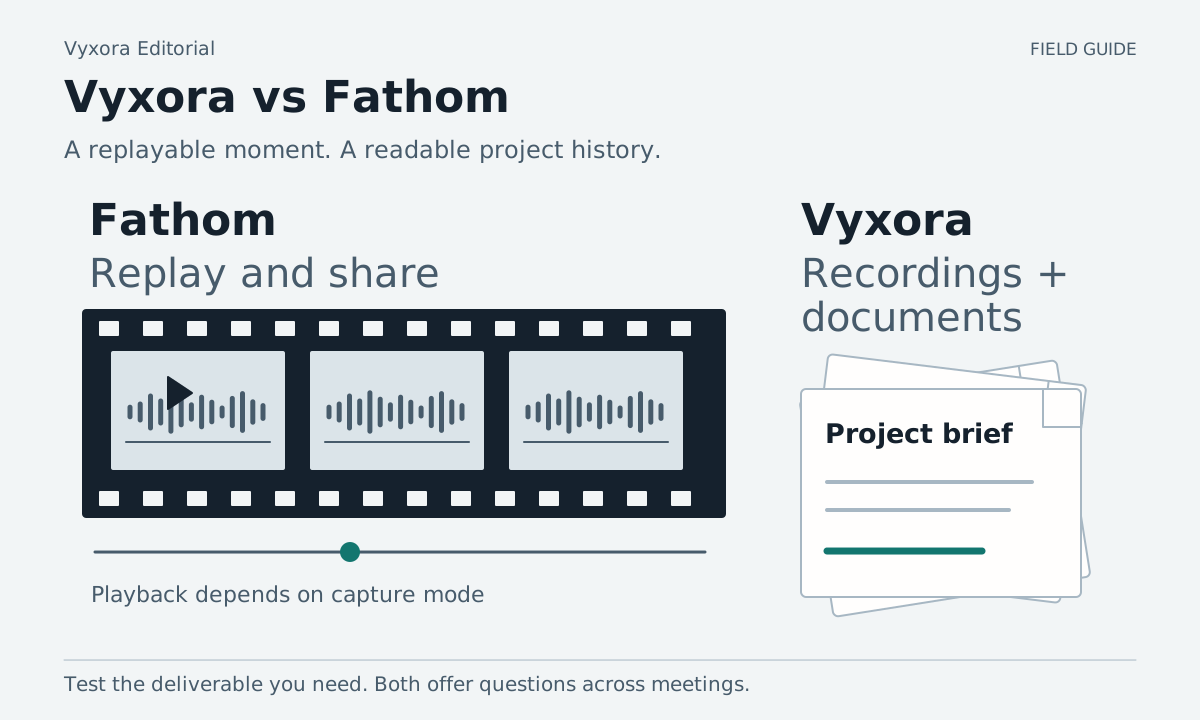
If your meeting record needs clips people can replay and share, start with Fathom. If your next question depends on a recording, a brief, and later updates collected into project Notes, consider Vyxora. A replayable call and a written account of a changing project serve different needs, so decide what you will need to open after the meeting.
Fathom also offers questions across calls, and its new capture experience can work without a bot on Mac. Include those shared capabilities in your trial. Fathom cross-call questions and beta labels, supported devices
Decide whether you need to replay the moment
Fathom's plans include recordings, clips, and playlists. Its Free plan lists unlimited recordings and transcription. Video requires a video capture mode: its bot-free video option is a limited Zoom beta on Mac. Audio-and-transcript or transcript-only capture cannot preserve the screen. Fathom capture modes If you need someone to hear or see the relevant part of a call, test that replay and sharing experience first. Fathom pricing and feature comparison
Vyxora captures audio and turns supported recordings, pasted transcripts, and text documents into Notes. A Note keeps the summary, map, tasks, transcript, and sources together. You can retain audio within the applicable plan allowance, but Vyxora Capture does not record your screen or create meeting video. Vyxora Notes, audio capture and retention
For example, a meeting about a website prototype may depend on both the spoken approval and the screen people were discussing. An audio-only record cannot preserve the pointer movement or show which design appeared at that moment. If that visual context is essential, make video capture and playback a requirement in your trial.
If the task is to understand how an approved plan changed over several discussions and documents, put that question in the trial too. Do not let a good summary of one call stand in for a test of the project's current state.
Compare capture on your actual device
Fathom supports recording on Mac and Windows. Its new bot-free experience is available on Mac only as of the checked date; the pricing page labels it beta. Windows still supports the previous experience. Check your operating system before choosing based on bot-free capture. Fathom device support, beta label
The device-support page also lists restrictions including Linux computers, Chromebooks, and breakout rooms. These are relevant if your meeting setup depends on one of them. If mobile capture matters, confirm current iOS availability: the support page lists in-person recording, while the product update page still marks iOS as coming soon. Fathom supported devices and scenarios
Vyxora Capture works through a browser extension with microphone, tab, and available computer-audio choices. Browser and operating-system permissions affect which sound you can capture. Vyxora's public mobile product is coming soon, so a released native mobile workflow should not be part of your reason to choose it. Vyxora Capture, current mobile availability
Compare what you can use after the call
| Task | Fathom | Vyxora |
|---|---|---|
| Revisit a meeting moment | Recordings, clips, and playlists | Source passages and audio if you chose to retain it |
| Review a summary | Automated summaries; advanced options depend on plan | General, Meeting, or Study Notes with summaries and visual maps |
| Ask about several meetings | Account-wide Ask Fathom is listed as beta, with a plan-specific limit on how far back chat can search | Questions across completed Notes and related Workstream Notes |
| Keep a project together | Team folders and related team features | Workstreams with related Notes, changes, tasks, and supporting passages |
Use Fathom's current feature comparison to check availability, especially account-wide chat's beta status and how far back it can search. Vyxora's Notes and Workstreams describe its written project view. We have not tested either product's answer quality across a long archive.
Try one demo where the scope changes later
This is a fictional example for your own trial, not an invented customer story:
| Material | What it establishes |
|---|---|
| Demo call | The client accepts the dashboard layout but asks for a report export before approval. |
| Follow-up call | The team agrees to defer the export and deliver the dashboard first. |
| Revised brief | The first delivery includes the dashboard; the export is a later milestone. |
During the practice demo, include a short screen discussion if video is part of your requirement. Make the same spoken material available to both products, with permission to record.
Run two checks. First, find the moment where the client explains the report requirement. If you need to share a clip, try the actual access settings and have the intended recipient open it. If you only need a written source, check whether the passage gives enough context to understand what was requested.
Second, bring in the later discussion and brief through each product's documented input routes. Ask: “What is included in the first delivery, and when did that change?” Check whether the answer separates the original request from the later agreement. If a product cannot use one of your required inputs through the route you need, record that constraint rather than supplying missing context and crediting the product for finding it.
In Vyxora, related completed Notes can form a Workstream for that review. The revised brief must contain readable text; a scanned document needs conversion first because Vyxora does not run OCR. A diagram in a PDF should not be treated as if its meaning was recovered from embedded text. Vyxora Workstreams, document limits
Compare individual and team prices separately
Fathom's individual Premium price is $20 per user per month, or $16 per month when billed annually. Team is $19 monthly or $15 on annual billing, with a two-user minimum. Business is $34 monthly or $25 on annual billing, also with a two-user minimum. The Free plan can be enough to evaluate capture and basic summaries. Fathom current pricing
The seat minimum changes the bill: a Team rate is not a one-person subscription at that advertised rate. Also check the tier required for the summary, sharing, or cross-call history you want. Treat beta features as changing availability rather than a fixed purchase guarantee.
Vyxora's regular monthly rates are $0 for Free, $11.99 for Plus, and $24.99 for Pro. Annual Plus costs $119 and annual Pro costs $249. The current 90-day Plus trial is for monthly subscriptions; annual plans do not include it. Check audio-processing, Note, answer, and Workstream-build allowances against your expected work. Vyxora plans
Vyxora Free allows three kept recordings, Plus allows 50, and Pro allows keeping every recording. Playback lasts 30 days on every plan. If replaying an old call is your requirement, check that retention boundary before treating a captured recording as a lasting archive. Vyxora recording limits
When Fathom is the better choice
Choose Fathom when replaying and sharing recorded meeting moments is central to your work, and its supported capture setup and plan meet that requirement. Its listed team collaboration and CRM options may also be decisive if your meeting record needs to enter an existing team system. Confirm the specific integration and access settings you need. Fathom plans and integrations
Vyxora is a reasonable option when you want audio, transcripts, and text documents made into Notes, then reviewed together as a project. Its General, Meeting, and Study modes also cover material beyond calls. It requires an online account for processing and saved work; it is not a substitute for a video recorder or a shared document editor. Vyxora Note modes
Before buying, have the person who will use your meeting record open the result you plan to share or reference. A clip, a summary, and a project answer with passages you can check are different deliverables. Your trial should produce the one that person needs.