Study notes
How to Turn Lecture Recordings Into Study Notes
Turn one lecture recording into checked definitions, a concept outline, and questions you can answer without looking at your notes.
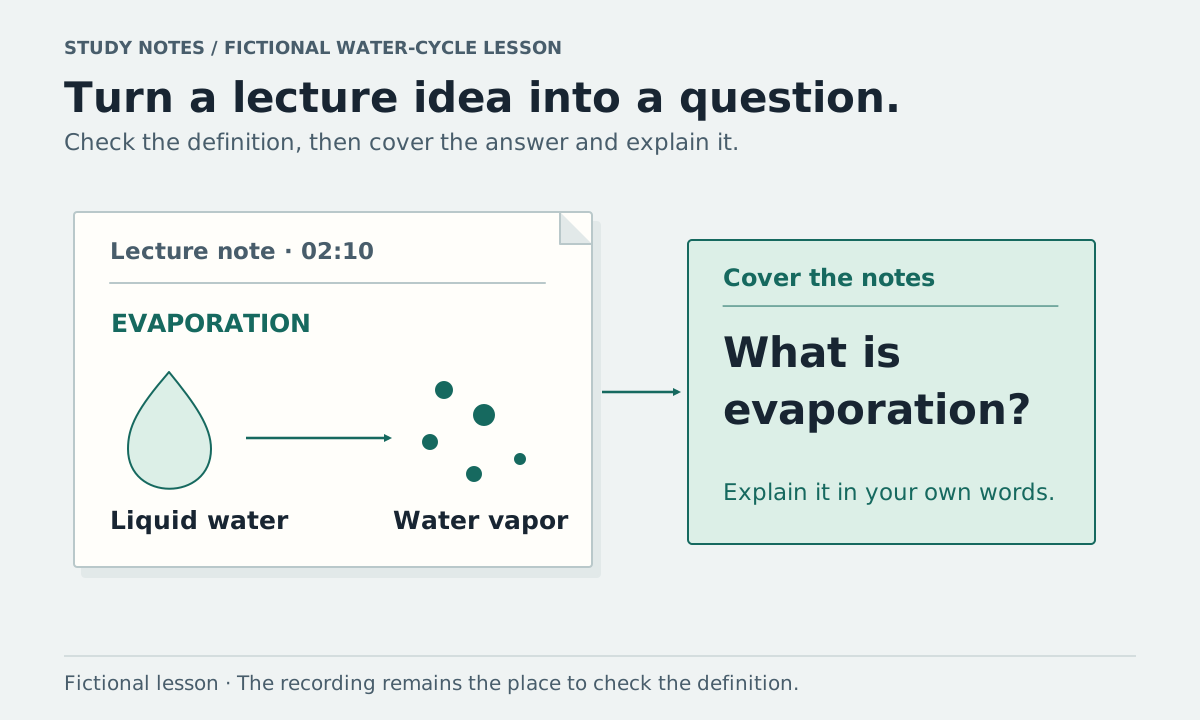
Take one lecture recording and produce a short set of notes with definitions, examples, and questions you can answer with the notes covered. Keep a timestamp beside anything you need to check. A transcript can help you locate the material, but you still need to decide what belongs in your study notes.
The worked example below uses a fictional water-cycle lesson. It shows the editing and review method, not a real class, a measured learning result, or an actual AI-generated response.
Start with the recording and the class materials
Use a recording you are allowed to access and process. Check your course's rules before recording a class, uploading teaching material, or sharing the resulting notes. If you cannot upload the recording, you can follow the same method with handwritten notes and permitted course materials.
Write down the lecture title, date, and topic. Keep any available slides or reading list beside the recording so you can check technical terms and know which material the lecture expects you to study.
The University of Edinburgh recommends making your own notes when using recordings, then returning to selected parts with questions in mind. Its guidance on making notes in class also recommends adding to and reorganizing notes after the session.
Find a passage and write the idea in your own words
Here is the fictional lesson excerpt:
[
02:10] “Evaporation changes liquid water into water vapor.”[
04:05] “Condensation changes water vapor into liquid droplets.”[
06:20] “Precipitation includes rain and snow falling from clouds.”
Turn each passage into a note you can read without replaying the whole lesson. Preserve the distinction between the processes; a shorter note should still say what changes or moves.
| Topic | Study note | Where to check |
|---|---|---|
| Evaporation | Liquid water changes into vapor | 02:10 |
| Condensation | Water vapor changes into liquid droplets | 04:05 |
| Precipitation | Rain or snow falls from clouds | 06:20 |
These notes summarize this short excerpt. They are not a complete account of the water cycle. Keep separate sections for additional processes or examples if the full lesson covers them.
For a real lecture, add a worked example, equation, diagram reference, or comparison only when the material supports it. If a word in the transcript looks wrong, listen to that passage and check the spelling in the class materials before carrying it into the final notes.
Write questions that reveal what you understand
Put a question beside each important idea, then cover the answer and try responding in your own words. For the fictional lesson:
| Self-test question | What an answer should include |
|---|---|
| What changes during evaporation? | Liquid water becomes vapor |
| How does condensation differ from evaporation? | Vapor becomes liquid droplets, reversing the change described in evaporation |
| Which process describes rain or snow falling from clouds? | Precipitation |
If you answer “water moves” for all three questions, return to the definitions. Your answer has lost the difference the notes were supposed to preserve.
You can use a two-column page with questions on one side and notes on the other, leaving room for a short summary. Cornell's Learning Strategies Center offers a public module on the Cornell note-taking system if you want to explore that format. The table here is a simple practice sheet, not a claim that one layout fits every subject.
Keep unclear points on a separate review list
For each question you cannot answer, write down what you need to revisit and where you will check it. “Review the water cycle” is broad. “Explain the difference between evaporation and condensation; replay 02:10 and 04:05” gives you a specific next step.
For material the recording does not answer, note the missing point and use the course reading, a tutor, or your instructor to resolve it. For example, the fictional excerpt does not explain what controls the rate of evaporation. Do not fill that gap with an unmarked AI explanation and later treat it as something the lecturer said.
A useful review checklist for this example is:
- Explain evaporation without looking at the definition.
- Explain condensation and name the change involved.
- Give the precipitation examples used in the lesson.
- Revisit any definition you could not explain and correct the note.
Edinburgh's guidance includes self-testing and organizing relationships between ideas. This is practical study advice; neither that source nor this example establishes that AI-written notes improve grades.
Use AI to prepare a draft you will check
Vyxora's Study mode organizes lecture material into concepts, definitions, study sections, a review checklist, and a map. You can start with an audio recording, pasted transcript, or supported text-based document. See the current Note modes and supported inputs, checked on October 4, 2026.
Choose Study before submitting the material. If you use Vyxora Capture for a permitted browser lecture, choose Study after Stop and press Create Note when you want to send the recording. For an existing audio file, upload it in the workspace and select Study.
Read the result against the lecture and course materials. Check technical words, missing qualifications, and the links between concepts. You can ask the completed Note to explain a point and open its supporting passages, but an answer may still be incomplete or mistaken.
If you add supporting material, preserve where each explanation came from. Lecture notes, a textbook passage, and your own interpretation can help with the same topic without being interchangeable records of what the lecturer said.
For your next lecture, finish one checked topic and three self-test questions before expanding the notes. Mark the questions you could not answer so the next review starts there.