
Meeting notes
How to Check an AI Answer Against Your Meeting Notes
Check the passage, meeting date, and later corrections behind an AI answer, using a worked launch-date example and an unsupported budget claim.
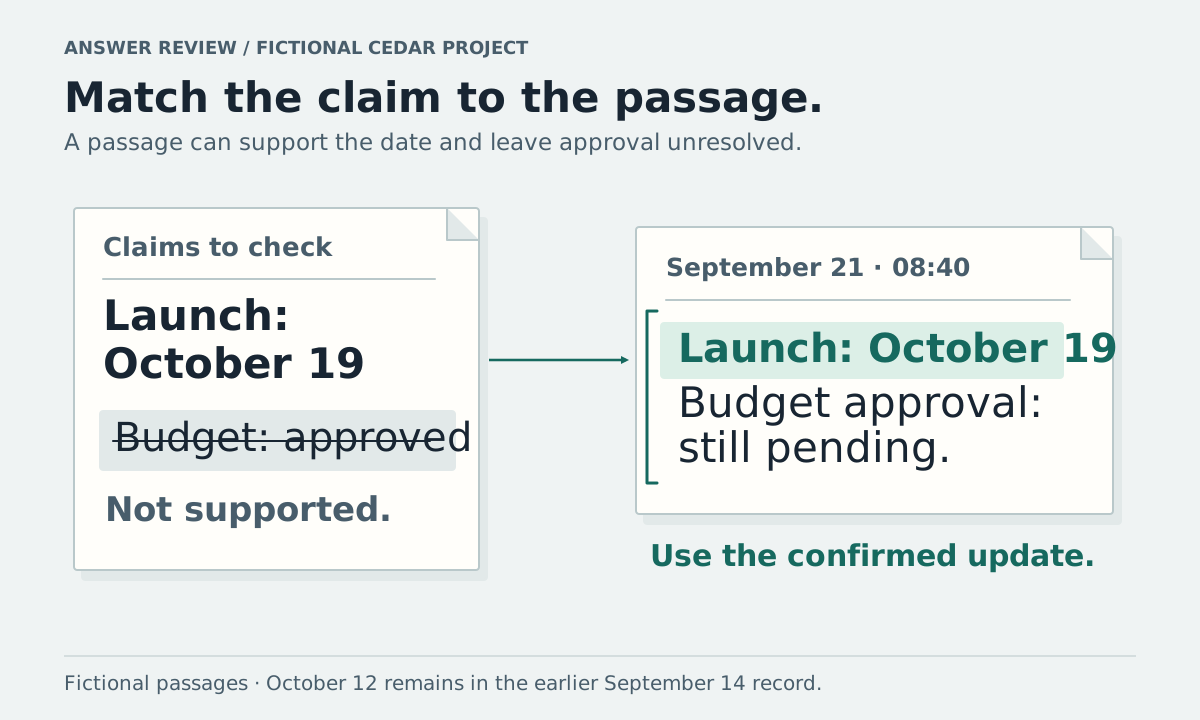
Before repeating an AI answer from your meeting notes, open the passages behind its important claims. Check what they say, when the meeting happened, and whether a later note changed the decision. A source link helps you perform that check; it does not prove that every part of the answer is correct.
This walkthrough uses two fictional passages from the Cedar project meetings. The sample answers are editorial examples, not captured responses from a live product test. You can use the same check with any tool that lets you inspect the underlying notes or transcript.
Read the meeting passage before accepting the answer
Suppose you ask, “What is the confirmed launch date, and was the budget approved?” The available notes contain:
September 14, 2026, launch planning,
10:15: “The team agreed to launch Cedar on October 12.”
September 21, 2026, launch review,
08:40: “The team agreed to move Cedar's launch to October 19. Budget approval is still pending.”
An answer you can verify from these passages is:
“The confirmed launch date is October 19, according to the September 21 review. The September 14 plan had October 12. Budget approval was still pending at the September 21 review.”
Both dates belong in the history, but only the later passage confirms the revised date. Neither note supports a claim that the budget was approved after September 21.
| Claim to check | Supporting passage | What you can say |
|---|---|---|
| Earlier decision | September 14, 10:15 | October 12 was the agreed launch date |
| Revised date | September 21, 08:40 | October 19 was confirmed at that review |
| Budget approval | September 21, 08:40 | Approval was still pending in the latest supplied note |
| Budget status today | No later record supplied | These notes do not establish today's status |
Keep the dates and timestamps with the passages. They make it possible to distinguish an earlier decision from a later confirmation.
Check every part of a multi-part answer
A citation can support one detail while leaving another unsupported. For this example, “The launch is October 19 and the budget is approved” has a supported date and an unsupported approval claim. A link to the September 21 meeting does not make the whole sentence safe to repeat.
Read the answer one claim at a time. For each date, owner, amount, approval, or deadline you plan to use, find the relevant passage. Check nearby sentences for conditions such as “if approved,” “proposed,” or “still pending.”
Use this short check before sharing a consequential detail:
- Identify the claim you will repeat.
- Open the cited note and the supporting passage.
- Read enough surrounding text to understand conditions or corrections.
- Check whether a later relevant note changes the claim.
- Keep any unresolved part explicit in your message.
You do not need to turn an informal recap into a research report. Spend the attention on details that would change someone's action, such as a release date or an approval.
Notice when the answer uses the wrong set of notes
An answer from the September 14 note alone may correctly say that October 12 was the plan discussed there. It cannot establish the latest project decision when the September 21 review is missing from the material being searched.
Check which notes the question covers. If you ask about one meeting, expect an answer about that meeting. If you ask for the latest project decision, include later relevant meetings and documents. Use the meeting-notes comparison method to check what changed, then inspect which passages the answer used.
For Vyxora, you can ask one completed Note, ask across saved Notes, or connect relevant Notes in a Workstream. Its current Notes page and Workstreams page describe opening the passages behind answers. Vyxora publishes this guide; these are descriptions of its documented behavior, checked on October 4, 2026, rather than a claim that it always answers correctly.
Preserve uncertainty when the record ends
In the example, the latest supplied budget statement is “still pending” on September 21. If someone asks whether the budget has since been approved, look for a later approval record. If none is available, keep the answer limited to what you have: approval was pending at the last recorded review, and a later approval is not established by these notes.
Ask a follow-up that names the missing evidence, such as “Which passage confirms budget approval after September 21?” Then inspect the result. If the tool cannot provide a relevant passage, do not treat a confident explanation as a new record of the decision.
Your own recollection may also help, but label it accordingly. “I remember approval happening later” is a recollection to check, not a quotation from these meeting notes.
Return to the original recording when the words look wrong
The passage itself may contain a transcription mistake. Check names, numbers, dates, negations, and speaker assignments against the original recording when available. A summary that repeats an incorrect transcript can look well cited while carrying the same error.
If the recording is unavailable, check another reliable record, ask the relevant person, or mark the detail unresolved. Avoid assigning a statement to someone solely because an uncertain speaker label appears beside it.
For the fictional launch example, a careful follow-up would say: “The September 21 review confirms October 19. Budget approval was still pending then; we need a later approval record before marking it complete.” Use the same level of precision for the next decision you share.