
Meeting notes
How to Write a Follow-Up Email From Your Meeting Notes
Use a copy-ready meeting follow-up email and a fictional example to check decisions, tasks, dates, and unanswered questions before sending.
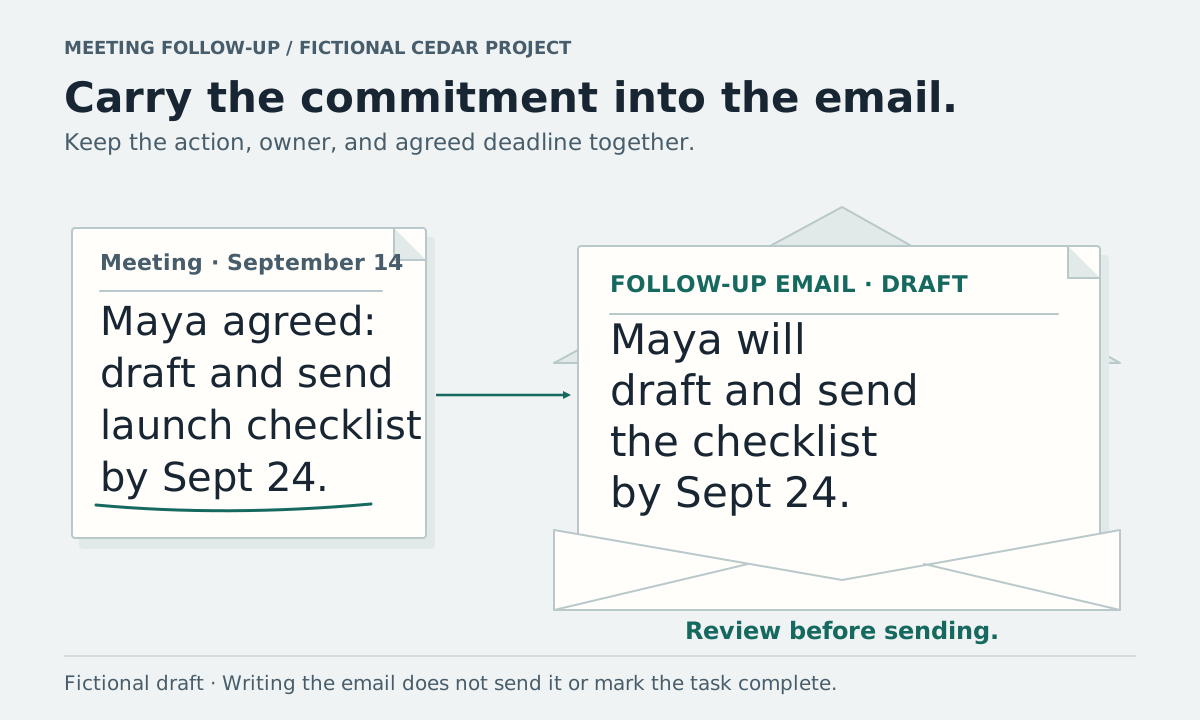
A meeting follow-up email should tell recipients what was agreed, who committed to the next steps, and what still needs an answer. Start with the notes, draft the message, then check names, dates, and decisions before sending it.
Copy this short template into your email editor. Delete sections you do not need and leave unanswered details visibly open.
Copy a meeting follow-up email
Subject: [Project or meeting] follow-up: [main decision or next step]

Hi [recipients],

Following our meeting on [date], here is the recap.

Agreed:
- [Confirmed decision, with any relevant condition]

Next steps:
- [Person] will [specific action] by [agreed date].

Still open:
- [Question or proposal awaiting a decision]
- [Owner or deadline that needs confirmation]

Please let me know if this differs from your understanding.
Notes: [link recipients have permission to open]

[Your name]
An unknown date can stay “date to confirm.” If nobody accepted a task, ask who will take it. Do not fill a blank with a plausible name or deadline.
Pull the agreed points out of the notes
Cedar is fictional. The notes and message below are invented for this example. The email is written as a recap on September 21, 2026; it is not a customer email or an actual Vyxora response.
The September 14 launch meeting recorded:
- “The team agreed to launch Cedar on October 12.”
- “Maya agreed to draft and send the launch checklist by September 24.”
- “We need someone to send launch invitations; no owner has been assigned.”
The September 21 launch review recorded:
- “The team agreed to move Cedar's launch to October 19.”
- “An increase to the campaign budget was proposed. No budget decision was made.”
- “The checklist's completion was not confirmed.”
- “The owner for launch invitations is still unassigned.”
Make a small check sheet before drafting:
| Point for the email | Where it appears | How to write it |
|---|---|---|
| Launch moved to October 19 | September 21, item 1 | A confirmed decision replacing October 12 |
| Maya's checklist, due September 24 | September 14, item 2 | An earlier commitment; ask for a progress update |
| Proposed budget increase | September 21, item 2 | An open proposal |
| Invitation owner | September 21, item 4 | A question needing an assignment |
The MIT meeting note-taking guidance separates agreed actions from decisions and recommends checking that participants share the same understanding. Use that distinction when choosing what belongs under “Agreed” in the email.
Write a recap people can respond to
Here is the completed fictional email:
Subject: Cedar launch review: October 19 date and open next steps

Hi team,

Following our September 21 launch review, we agreed to move Cedar's
launch to October 19, replacing the October 12 date.

Maya, your September 14 commitment was to draft and send the launch checklist
by September 24. Could you confirm its progress?

Two points still need an answer:
- The campaign budget increase was proposed but not approved.
  Who can confirm the budget decision?
- The launch invitations still have no assigned owner.
  Who will take this on, and what deadline should we agree?

Please flag any corrections to this recap. The September 14 launch
meeting and September 21 launch review are the notes used here.

[Your name]
For a real message, add a link only when recipients can open it and are allowed to see the material. The fictional example names its sources because there is no real shared folder or recipient list.
The question about the budget asks for a decision; it does not announce an increase. The question to Maya asks for progress; it does not say the task is done or overdue. At the time of this fictional recap, September 24 is still ahead.
Use AI to draft wording after you check the record
You can give an assistant the notes and ask for a draft:
Draft a follow-up email for these meeting participants. Include confirmed decisions, recorded commitments with their owners and dates, and separate questions that still need an answer. Keep proposed changes labeled as proposals. If a name, deadline, or approval is missing, leave it open.
Read the draft alongside the source notes. A polished sentence can still change a proposal into an approval, miss a condition, or invent a commitment. Resolve uncertainty with the responsible people before the message becomes an instruction.
Vyxora Notes lets you ask questions about a completed Note and inspect supporting passages. You can ask for help with recap wording in chat, then review and copy the draft into your email editor. Email delivery is a separate action you take in your email service.
Check the message before you send it
Compare each name, date, and commitment with the source. Make sure a later correction has not changed an earlier decision. Keep the email focused on what these recipients need; remove unrelated conversation and private details.
If someone corrects the recap, update the record and tell the affected recipients what changed. Record a new commitment only after it has been agreed. A reply that confirms the budget may resolve that question, while silence leaves it open.
For continuing work, keep the agreed actions in a task list so you can review progress without treating the email as proof of completion.